

How to Enroll in a New Course
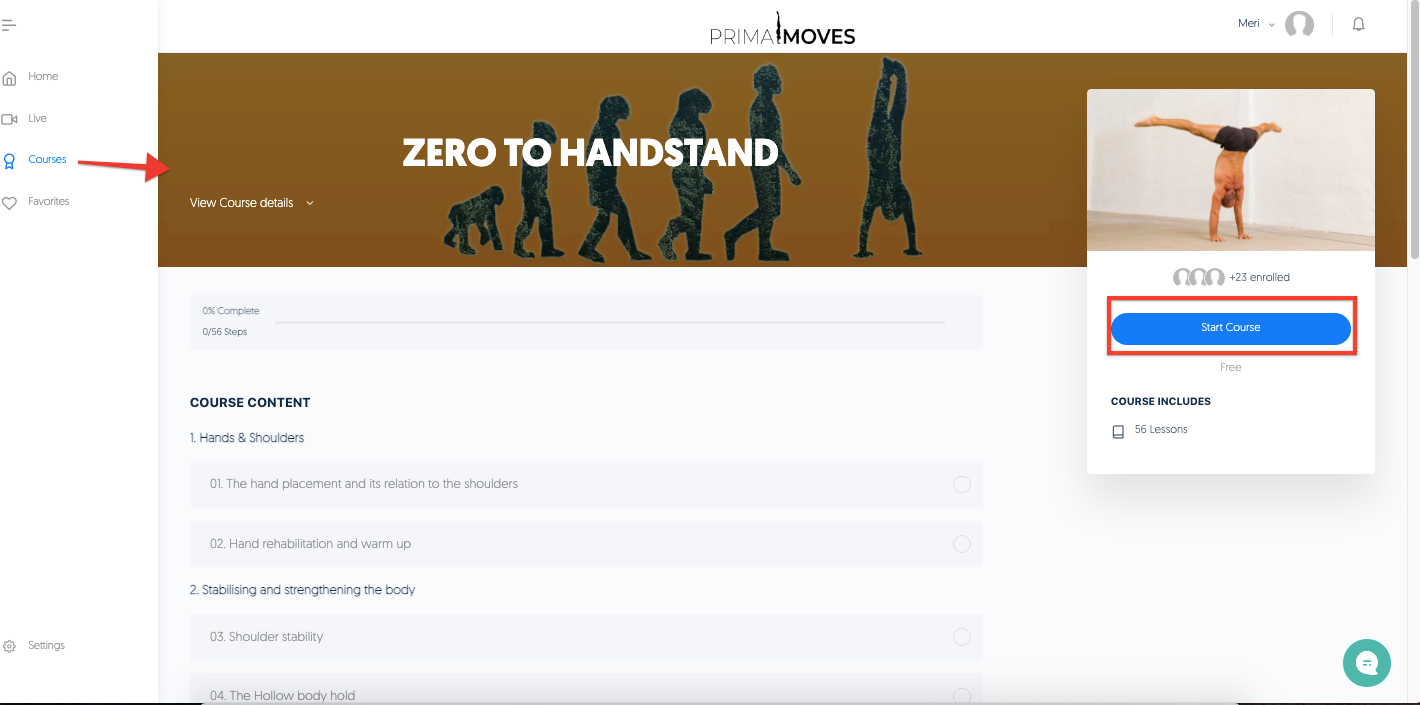
1.) Go to Courses and Click Start Course
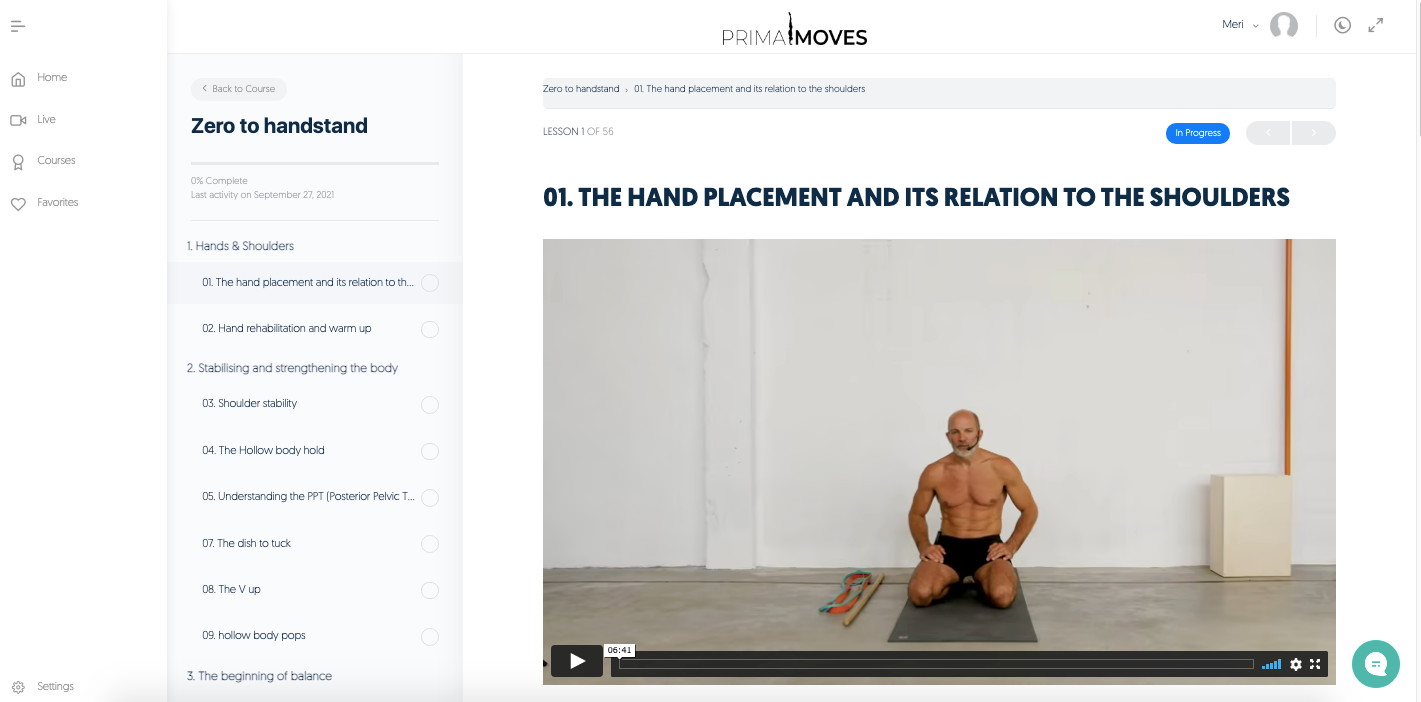
2.) Play Video 1 to start with the course.
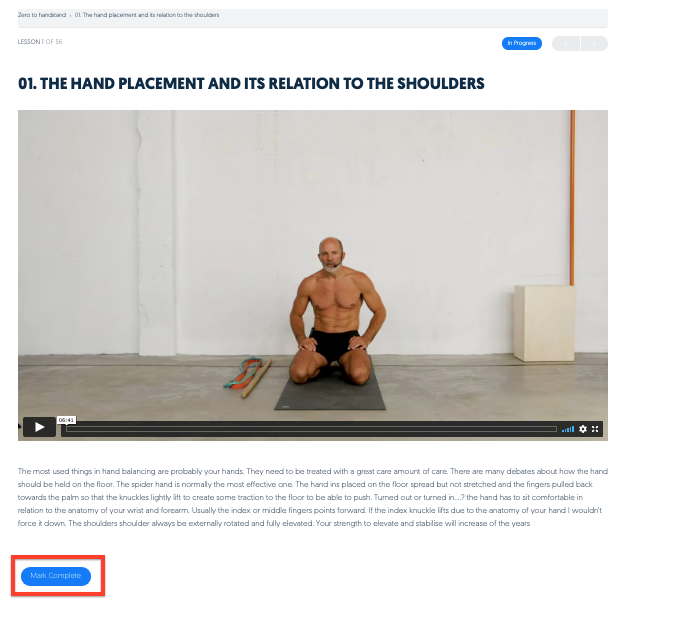
3.) The Mark Complete button will turn blue once completed. Please click to proceed to the next video.
5.) The completed video will show with a strikethrough and the progress bar will be filled a
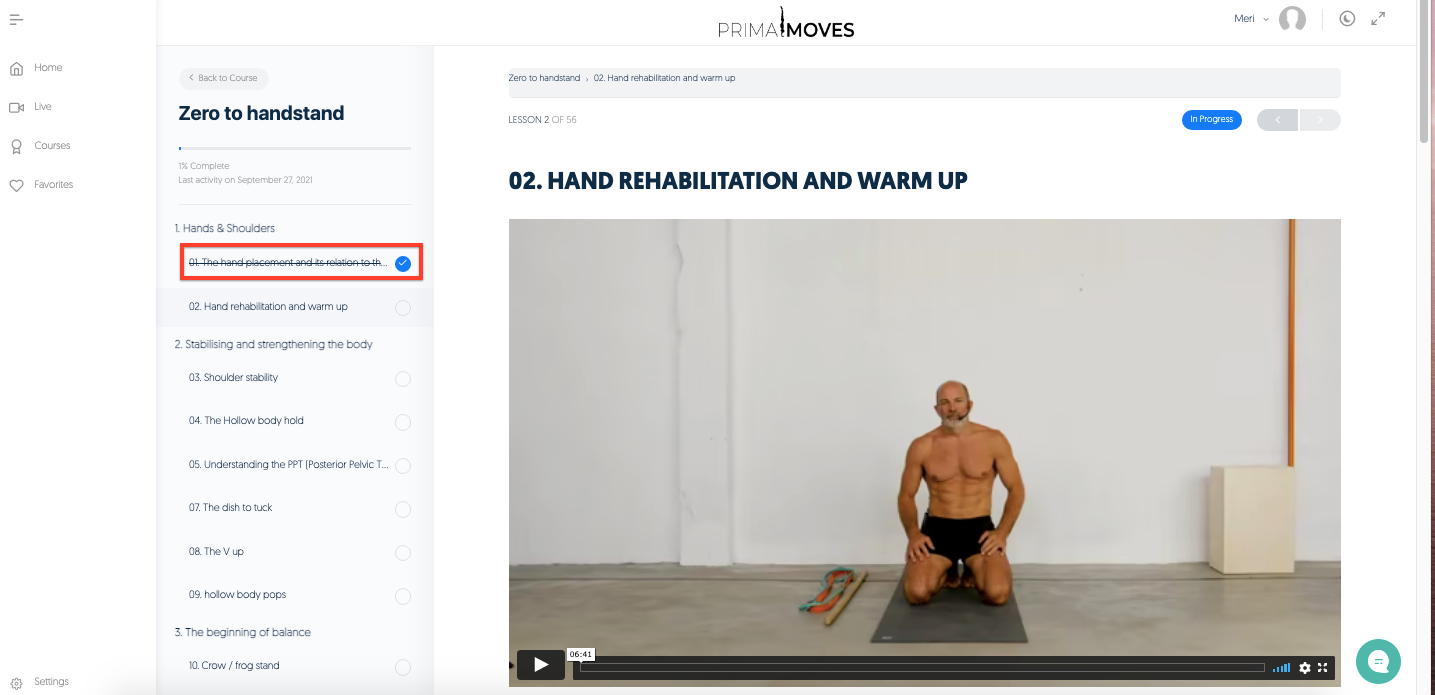
6.) Play the videos and mark complete every time a lesson's completed.
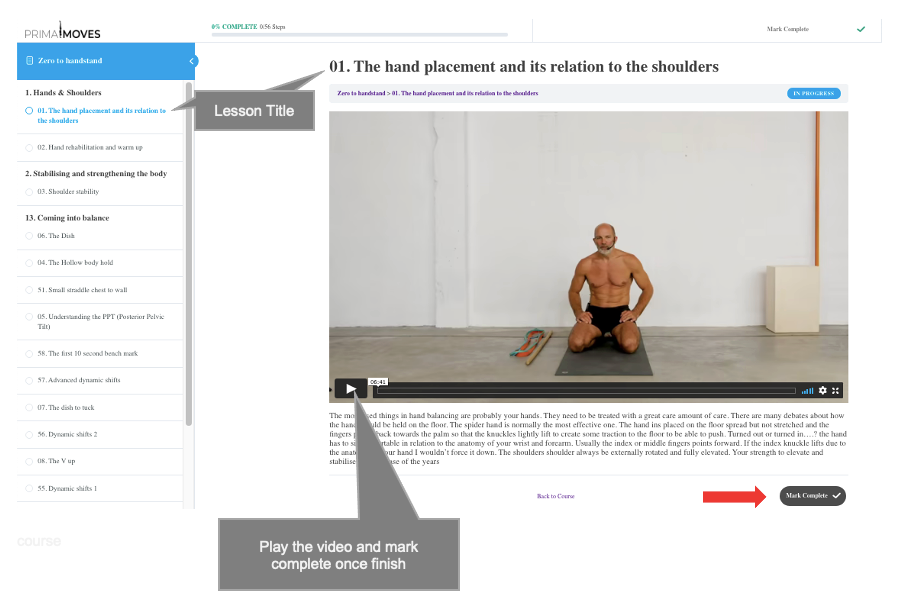
6.1)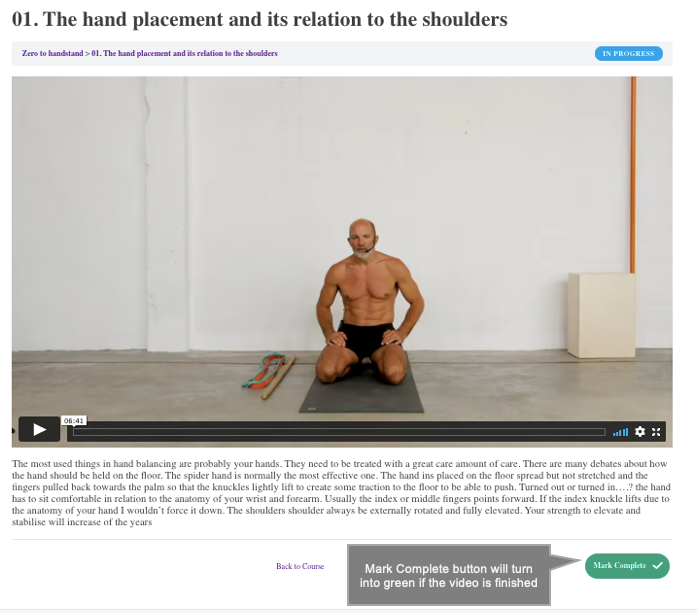
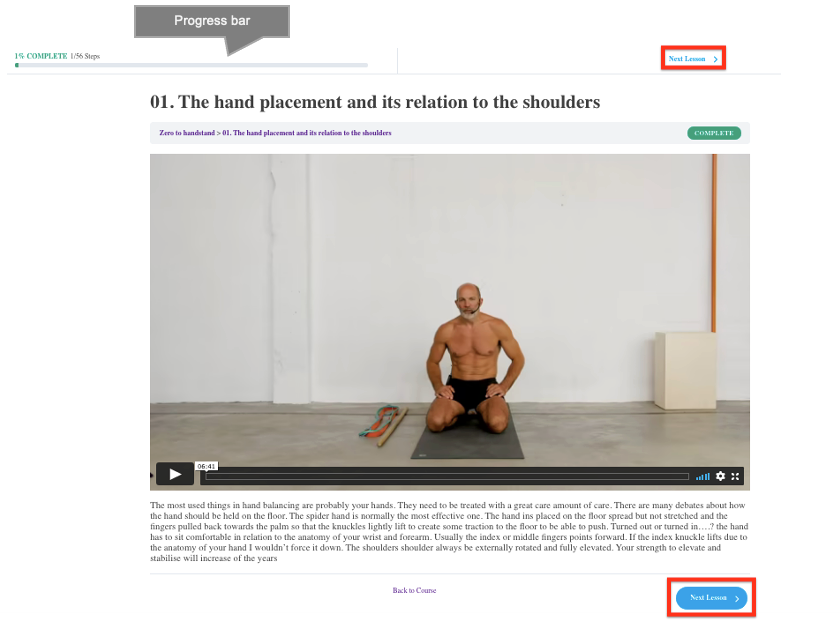
6.2) Progress bar shows shaded part green. Click Next Lesson for the next practice.